빠른 답변: Minecraft 색상 팔레트 고르는 법
좋은 Minecraft 팔레트는 중심 재료 계열, 가까운 전환 블록, 작은 포인트 블록으로 나누면 안정적입니다. 집, 길, 벽, 지붕, 동굴처럼 용도를 먼저 정하세요.
좋은 Minecraft 팔레트는 중심 재료 계열, 가까운 전환 블록, 작은 포인트 블록으로 나누면 안정적입니다. 집, 길, 벽, 지붕, 동굴처럼 용도를 먼저 정하세요. 블록이 색 온도, 밝기, 재료 논리를 공유하면 팔레트가 자연스럽습니다. 강한 색을 같은 비율로 섞으면 깊이보다 산만함이 커집니다.
60/30/10 rule keeps the palette readable: most of the surface is the main block family, transitions soften the edge, and accents stay small.
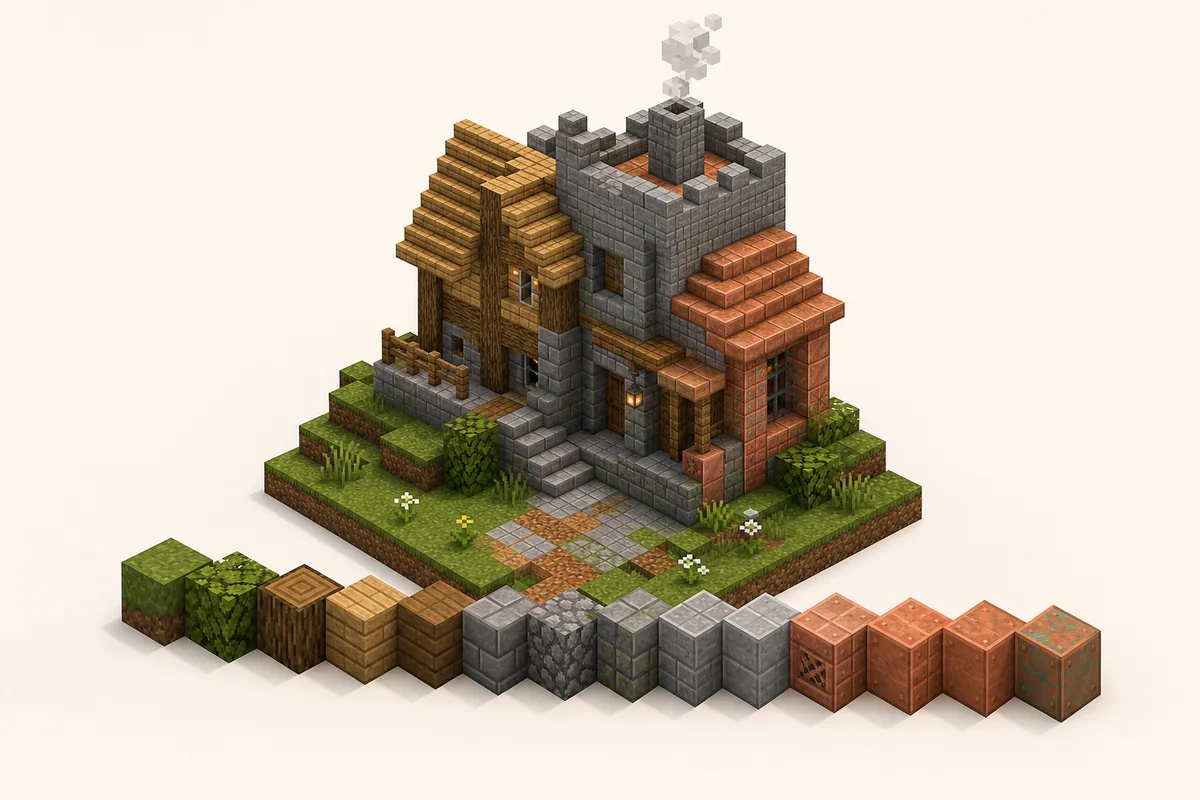
Fast palette recipe
- Pick one build theme before choosing blocks.
- Choose a main color family: warm, cool, neutral, dark or natural.
- Add two or three transition blocks with similar texture density.
- Reserve bright, black, copper, prismarine or glazed blocks for accents.
- Test a 7-by-7 patch under the same lighting as the final build.
- Turn the palette into a gradient only after the color family feels coherent.
Why Minecraft Color Palettes Fail or Work
블록이 색 온도, 밝기, 재료 논리를 공유하면 팔레트가 자연스럽습니다. 강한 색을 같은 비율로 섞으면 깊이보다 산만함이 커집니다.
블록이 색 온도, 밝기, 재료 논리를 공유하면 팔레트가 자연스럽습니다. 강한 색을 같은 비율로 섞으면 깊이보다 산만함이 커집니다. Keep rare or bright blocks as support, not as an equal repeated pattern.
For official block names and version-specific additions, check the Minecraft block reference before planning a survival material list.
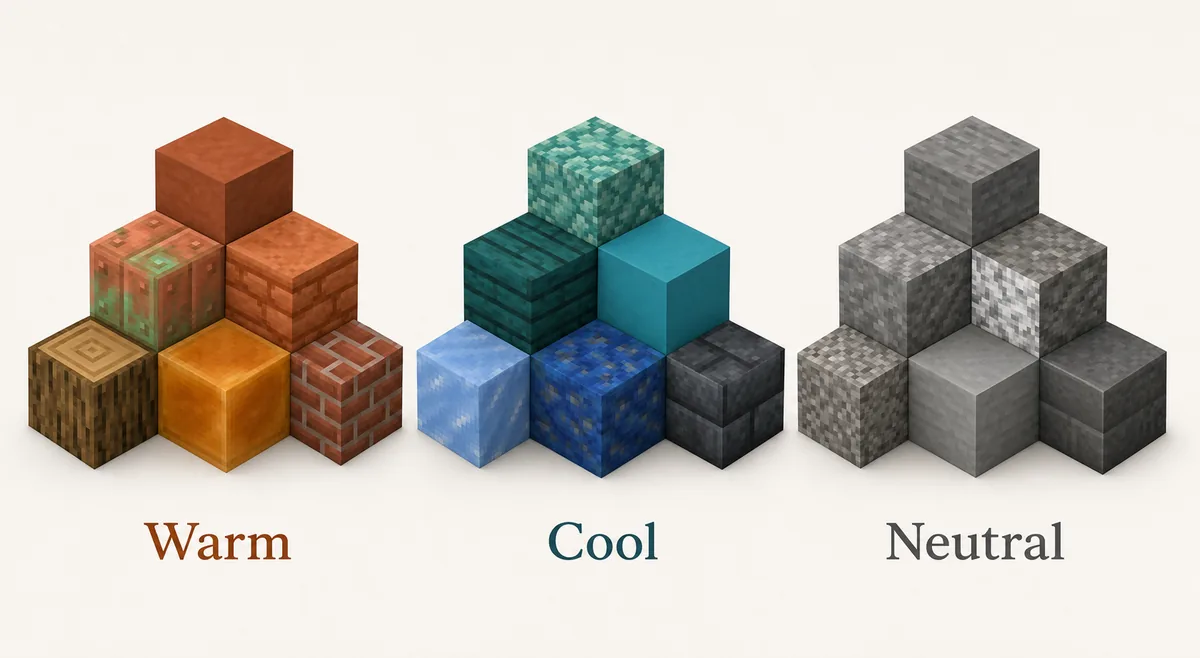
블록을 따뜻한 계열, 차가운 계열, 중립 계열로 나누세요. stone, andesite, tuff, deepslate 같은 중립 블록은 다양한 포인트를 받아 줍니다.
If you already know your material family, use the Minecraft Gradient Generator to test the order of adjacent blocks before placing hundreds of blocks in-game.
9 Minecraft Color Palettes for Common Builds
Use these Minecraft block palettes as starting points. Swap blocks based on biome, resource pack, shader brightness and survival access.
| Use Case | Block Palette | Best Placement |
|---|---|---|
| Cozy starter house | oak planks -> stripped oak -> spruce planks -> barrel -> lantern | Oak carries the walls, spruce shapes the roof edge, barrels and lanterns stay as small warm accents. |
| Stone castle wall | stone bricks -> stone -> andesite -> tuff bricks -> cracked stone bricks -> deepslate bricks | Keep stone high and central, then darken buttresses, base blocks and corners. |
| Forest cabin | stripped spruce -> spruce planks -> dark oak -> moss block -> azalea leaves | Wood forms the structure, moss and leaves connect the cabin to the ground. |
| Desert village | sandstone -> cut sandstone -> smooth sandstone -> terracotta -> mud bricks | Stay warm and dusty; use stronger orange only as an accent. |
| Nether base | blackstone -> polished blackstone -> basalt -> crimson planks -> shroomlight | Dark neutral blocks dominate, crimson and shroomlight mark focal details. |
| Ocean build | prismarine -> dark prismarine -> warped planks -> cyan terracotta -> sea lantern | Use sea lanterns as highlights rather than a full wall material. |
| Cave entrance | grass block -> coarse dirt -> gravel -> stone -> tuff -> deepslate | Blend outdoor terrain into the darker interior instead of cutting a hard doorway. |
| Black palette | gray concrete -> deepslate tiles -> polished blackstone -> blackstone -> tinted glass | Use black for trim, floors and shadow zones; keep mid-gray blocks for readability. |
| Copper accent build | bricks -> mud bricks -> exposed copper -> weathered copper -> spruce trapdoors | Let copper mark roofs, pipes or machinery while brick and wood carry the main structure. |
Warm, Cool and Neutral Block Families
블록을 따뜻한 계열, 차가운 계열, 중립 계열로 나누세요. stone, andesite, tuff, deepslate 같은 중립 블록은 다양한 포인트를 받아 줍니다.
블록을 따뜻한 계열, 차가운 계열, 중립 계열로 나누세요. stone, andesite, tuff, deepslate 같은 중립 블록은 다양한 포인트를 받아 줍니다. Neutral palettes are usually the easiest base because they support wood, copper, plants and lighting without losing readability.
How to Use a Palette Without Making the Build Noisy
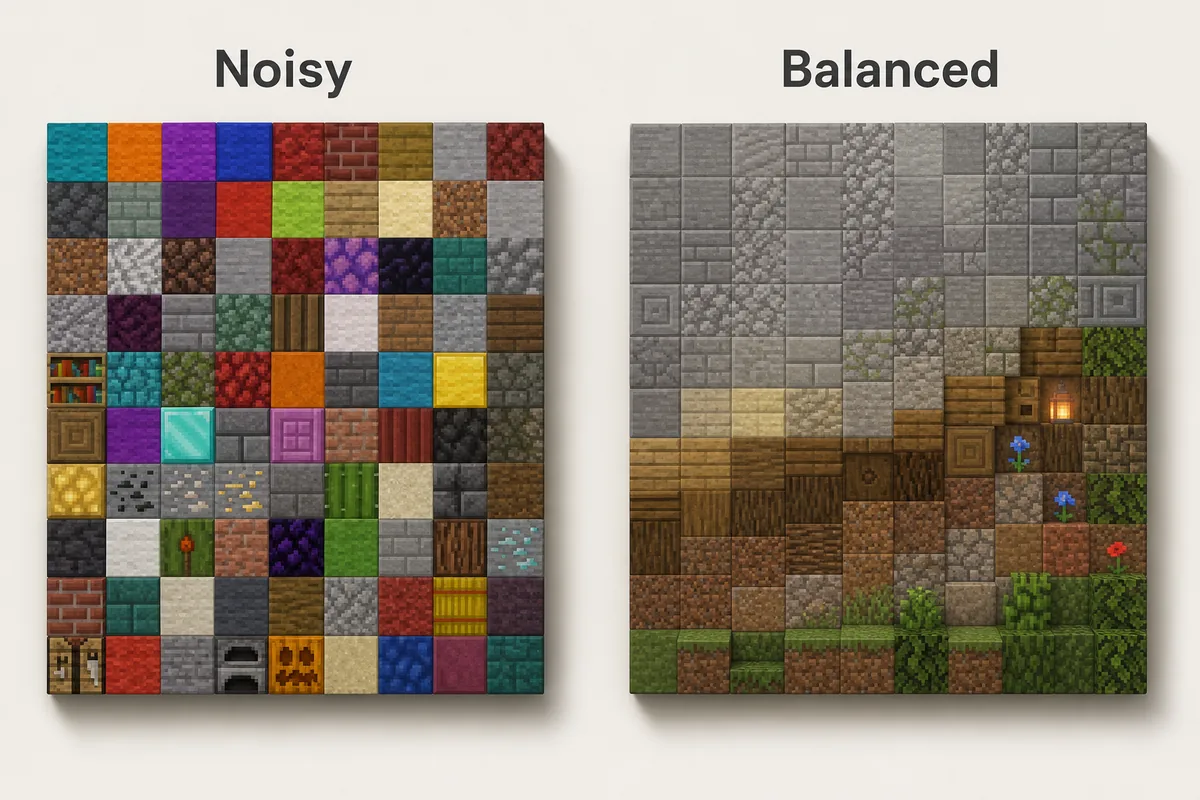
먼저 주 블록을 깔고, 모서리, 그림자, 낡은 부분, 지형과 닿는 곳에 전환 블록을 더하세요. 포인트는 시선을 멈출 위치에만 사용합니다.
먼저 주 블록을 깔고, 모서리, 그림자, 낡은 부분, 지형과 닿는 곳에 전환 블록을 더하세요. 포인트는 시선을 멈출 위치에만 사용합니다. Avoid straight stripes unless the build is intentionally stylized.
Lighting, shaders and biome colors can change the result, so test a small patch before repeating the palette.
For large surfaces, use clusters and edges instead of random single blocks.
Main block
The material that carries the build shape from a distance. It should usually be the highest percentage.
Transition block
The block that softens a jump between colors, such as tuff between stone and deepslate.
Accent block
A small, stronger color or texture used to mark details, not cover the whole surface.
Survival-Friendly Palette Choices
서바이벌에서는 반복해서 얻기 쉬운 블록을 중심으로 잡고 copper, sea lanterns, blackstone, quartz 등은 10% 포인트로 쓰는 편이 좋습니다.
서바이벌에서는 반복해서 얻기 쉬운 블록을 중심으로 잡고 copper, sea lanterns, blackstone, quartz 등은 10% 포인트로 쓰는 편이 좋습니다. Replace blocks later by role so upgrades still look intentional.
Use expensive blocks at doors, roofs, portals, trim or lighting rather than as the entire wall.
Common Minecraft Palette Mistakes
Choosing blocks only from inventory color
Inventory icons are useful, but blocks change once they touch neighbors, lighting and biome color. Test them in the final context.
Using every accent at equal strength
Gold, diamond, copper, warped wood and shroomlight all demand attention. Let one accent lead and keep the rest quiet.
Ignoring texture density
Smooth concrete beside noisy cobblestone can work, but too many texture densities in one surface make the build hard to read.
Treating black as a normal midtone
Blackstone and black concrete are powerful shadow tools. If they cover too much area, the palette becomes heavy and details disappear.
Forgetting biome color
Grass, leaves and water shift by biome. A palette that looks balanced in plains may feel different in swamp, cherry grove, desert or snowy areas.
FAQ
What is a good Minecraft color palette for beginners?
Use oak or spruce as the main block, stone or cobblestone as the neutral support, and one accent such as copper, lanterns, leaves or dark oak. This gives enough contrast without making the build noisy.
How many blocks should be in a Minecraft palette?
Most builds work well with 4 to 7 blocks: one main block, two or three transition blocks, one or two accents and sometimes one lighting block. Large gradients can use more, but only when the brightness steps are clear.
Is black a good Minecraft palette color?
Yes, but black should usually act as a shadow or trim color. Polished blackstone, blackstone, black concrete and tinted glass are strong, so combine them with gray, wood or warm lighting to keep detail visible.
Should I use a color palette generator or choose blocks manually?
Use a generator to explore nearby colors and gradient order, then choose manually based on texture, material logic, lighting and survival access. Color alone is not enough for Minecraft builds.
What is the difference between a palette and a gradient?
A palette is the set of blocks that belong together. A gradient is the order and placement that moves between those blocks. Build the palette first, then decide whether a gradient is needed.
Turn Your Palette Into a Buildable Gradient
Once the block family feels coherent, test the order in the generator and adapt the sequence to your wall, path, roof or terrain shape.
Use the Minecraft Gradient Generator